
QR CODE
SUPPORT
SYSTEM
Scan the QR code on your Anderson machine and get instant access to manuals, wiring diagrams, troubleshooting guides, video tutorials, and AI-powered technical support — right from the shop floor.
HOW IT WORKS
Scan the Code
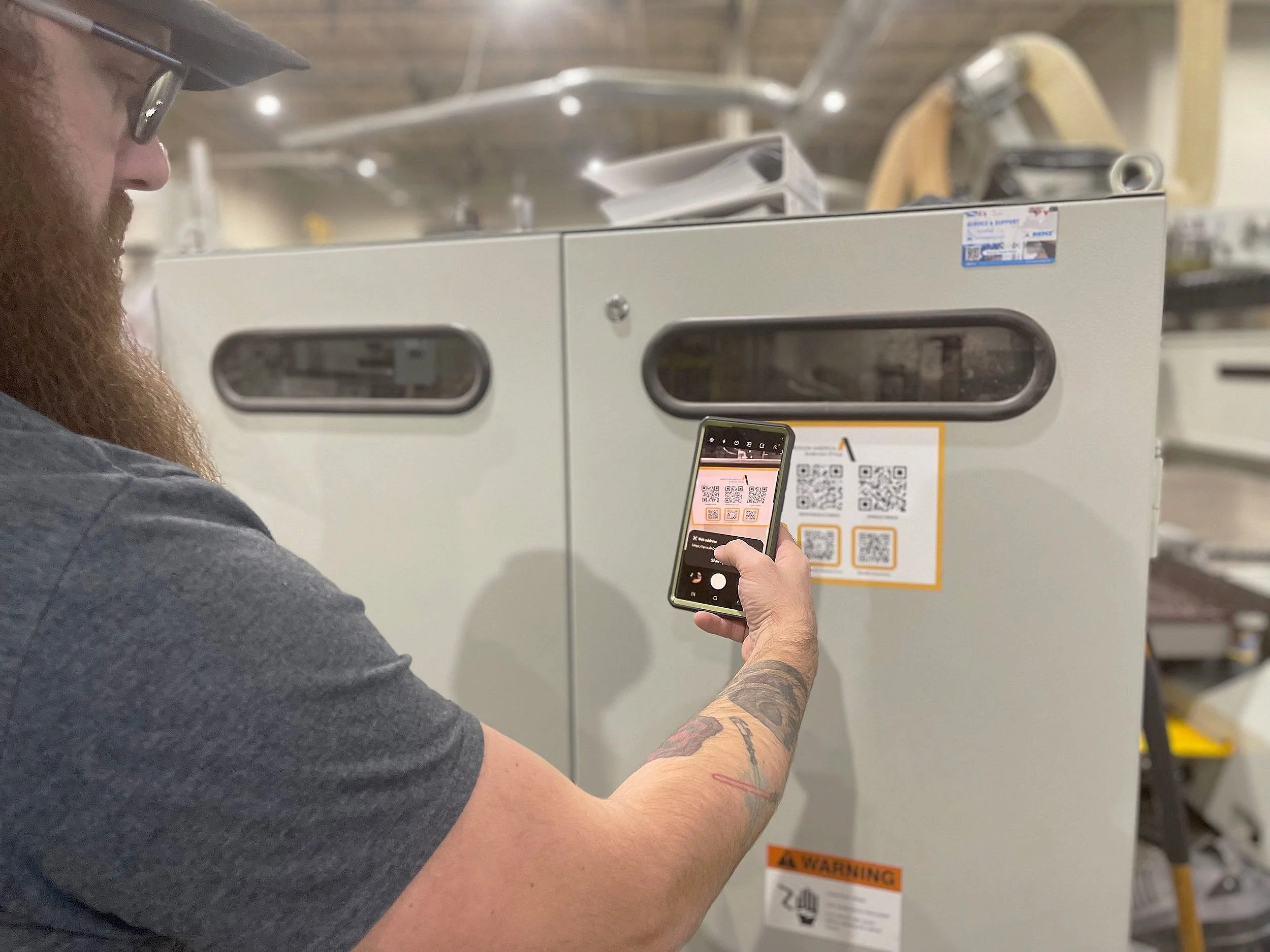
Find the QR code on your Anderson machine — on the control panel, spindle housing, or machine frame. Open your phone camera and scan.
Access Resources
Instantly land on your machine’s dedicated support page with manuals, wiring diagrams, maintenance schedules, and video walkthroughs.
Resolve & Run
Find answers fast with searchable docs and our AI technical assistant. Get back to production in minutes — not hours.
EVERY MACHINE.
EVERY ANSWER.
ONE SCAN.
Every Anderson America CNC machine ships with a dedicated QR code linked directly to that machine’s complete technical library. No searching, no guessing — just scan and go.
Technical Manuals
Full operator manuals, maintenance guides, and setup documentation for your exact model.
Wiring Diagrams
Complete electrical schematics and wiring layouts for troubleshooting and service.
Video Tutorials
Step-by-step video walkthroughs for maintenance, tool changes, and common procedures.
AI Technical Assistant
Ask a question in plain language and get an instant answer trained on our full technical library.
Instant Access
No logins, no searching. Scan the code and your machine’s full support library loads in seconds.
24/7 Available
Access support resources any time — nights, weekends, holidays. The QR system never sleeps.
Less Downtime
Operators resolve issues on the spot instead of waiting for callbacks or searching through email.
Any Operator
No technical training required. Any shop floor worker can scan and find what they need immediately.

BUILT FOR THE
SHOP FLOOR
We designed the QR Code Support System specifically for production environments where time is money and every minute of downtime counts.
Whether your operator needs a wiring diagram at 2 AM or a maintenance checklist during a Saturday shift, the resources are always one scan away — no computer required, no passwords needed.
Download QR Support System downloadWHERE TO FIND YOUR QR CODE
Control Panel
On or near the operator control screen
Spindle Housing
Mounted on the spindle or Z-axis assembly
Machine Frame
On the main frame or side panel of the machine
Electrical Cabinet
Inside or on the door of the electrical enclosure
NEED HELP
WITH YOUR
MACHINE?
Scan the QR code on your machine for instant support, or contact our 24-hour technical team directly.